

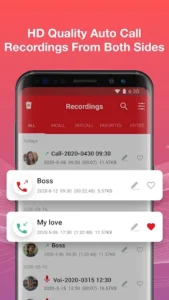
Call Recorder – Auto Recording is an app designed to automatically capture telephone conversations on Android devices. It enables users to record both incoming and outgoing calls with clear, high-definition voice quality from both sides of the conversation. A notable feature is its claim of having no restrictions on the length of call recordings, allowing for extended captures as needed. The app aims to provide a straightforward way to document calls, making them accessible for playback and management at any time.
Automated Call Recording and Management
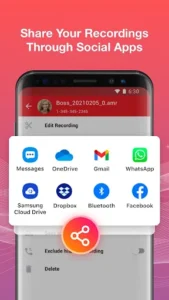
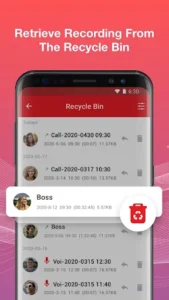
The app’s primary function is to automatically record all incoming and outgoing calls. Users have the flexibility to enable or disable this feature according to their preferences. Once recorded, calls are stored within the app, allowing for playback whenever necessary. A quick search function helps users locate specific recordings efficiently. Beyond simple storage, the app provides tools to manage these recordings, including options to delete, rename, and share them with others via social applications. It also allows users to retrieve caller details directly from the recorded information.
Targeted Recording with Special List
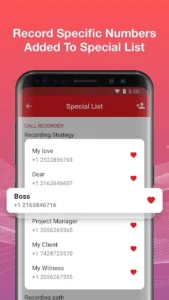
For users who require more selective recording, Call Recorder – Auto Recording includes a Special List feature. By adding specific phone numbers to this list and setting the Default record option to special list, the app will only record calls made to or received from those designated numbers. This provides a focused approach to recording, ensuring that only relevant conversations are captured.
Supported Audio Formats and Sources
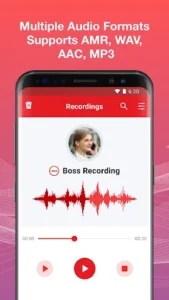
The app supports multiple audio formats for recordings, including AMR, WAV, AAC, and MP3, offering flexibility in how the audio is saved. Users can also select from various recording sources, such as auto, own voice, or opponent voice, to optimize the capture method for their specific needs.
Cloud Backup and Privacy
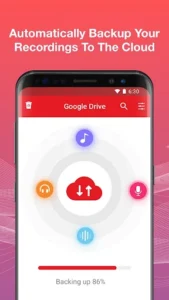
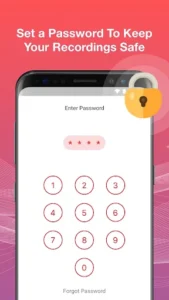
To help safeguard important recordings, the app offers automatic backup to the cloud, providing an additional layer of data security. For privacy, Call Recorder – Auto Recording includes an App Lock feature, which allows users to set their recordings to a private mode, protecting them with a password. The app also assists in finding forgotten passwords for this feature.
Integrated Voice Recorder
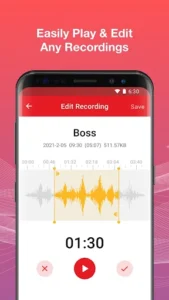
Beyond call recording, the app integrates a standalone Voice Recorder function. This allows users to record voice notes and memos independently of phone calls. These voice recordings can also be edited, deleted, backed up, played back, and shared through social applications, extending the app’s utility beyond just telephone conversations.
Practical Considerations
It is important to note that Call Recorder – Auto Recording may encounter interference from certain third-party applications, which can prevent some calls from being recorded. In such cases, users might need to add the app to a White List within those conflicting applications or consider closing or deleting other recording apps to ensure proper functionality.







Write a review